

How WizeSwap Works
From the first message to the final feedback, WizeSwap helps make sure both parties show up.
📅 Schedule → 📍 Show Up & Verify → ⭐ Leave Feedback
1. Request a meetup
Either the buyer or seller can start the process.
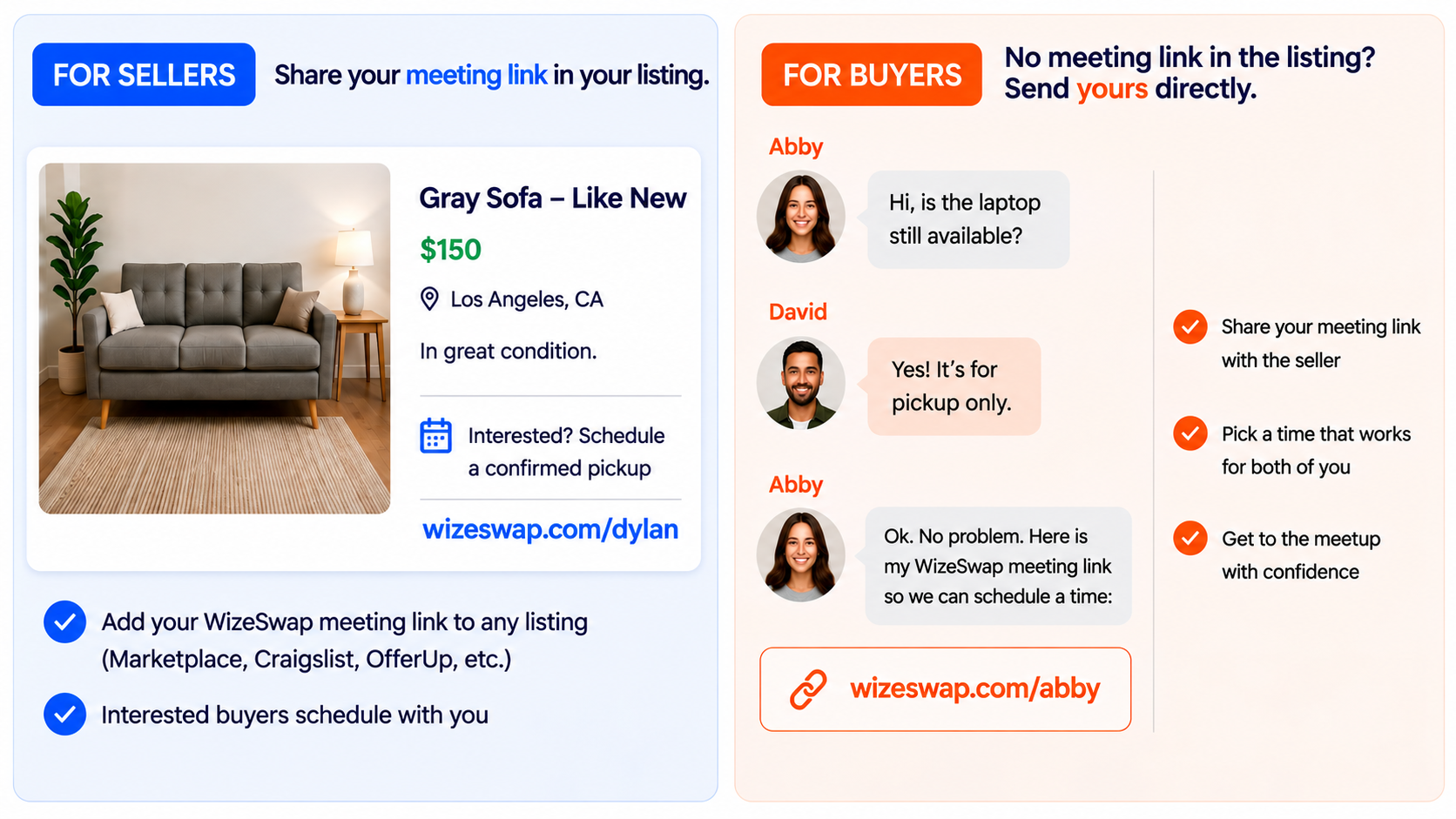
Sellers can add their WizeSwap Meeting Link directly to a marketplace listing. Or, if there is no meeting link in the listing, buyers can send their own Meeting Link directly to a seller.
Why share a WizeSwap meeting link?
Creates a confirmed plan
Verifies attendance
Enables feedback
Real accountability. Less flaking.
2. Buyer or seller opens the meeting link
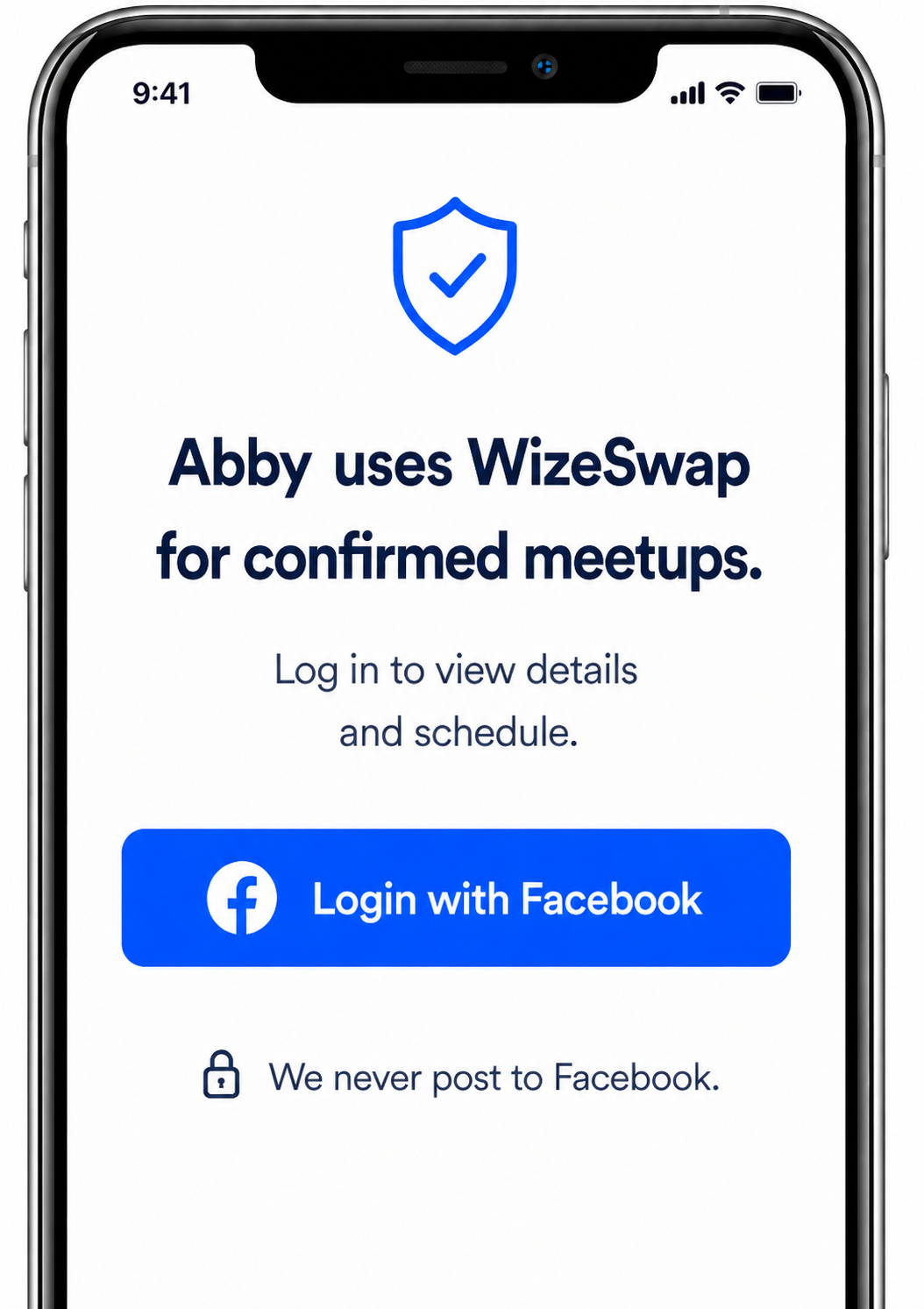
Log in with Facebook to continue.
Why Facebook?
Facebook provides a convenient way to log in and helps establish a basic form of transparency beyond a traditional email address.
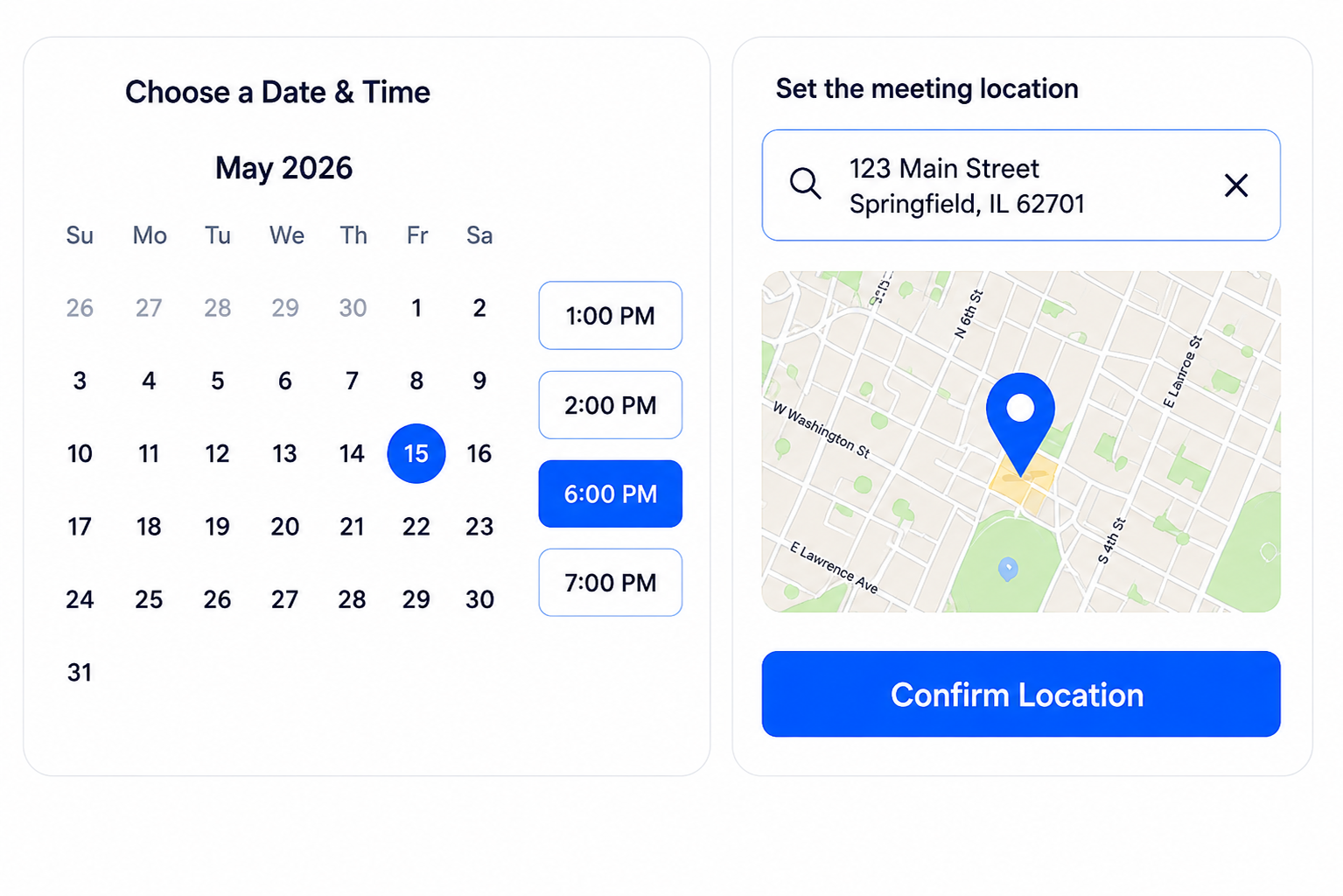
3. Buyer and seller agree on a date and time that works for both of them using the built-in scheduler
Seller drops a pin to set the agreed location.
The built-in map makes it easy to:
Drop a pin
Set a precise address
Make the location clear for both parties
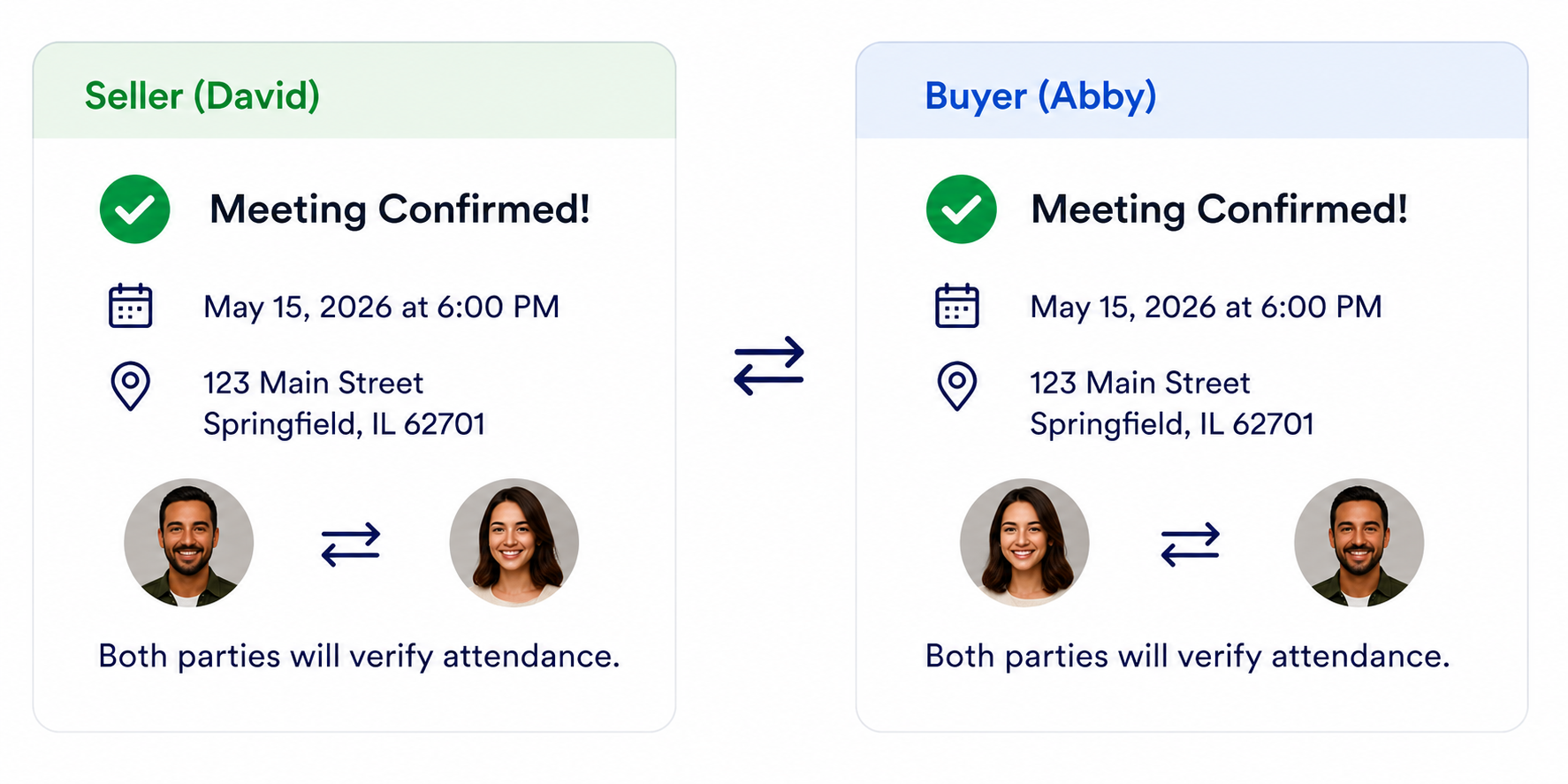
4. Both parties get a confirmation with all the details
Once time and place is agreed on, both parties receive the meeting details and the appointment is added to their calendars.
The confirmation includes the date, time, meeting location and the other participant.
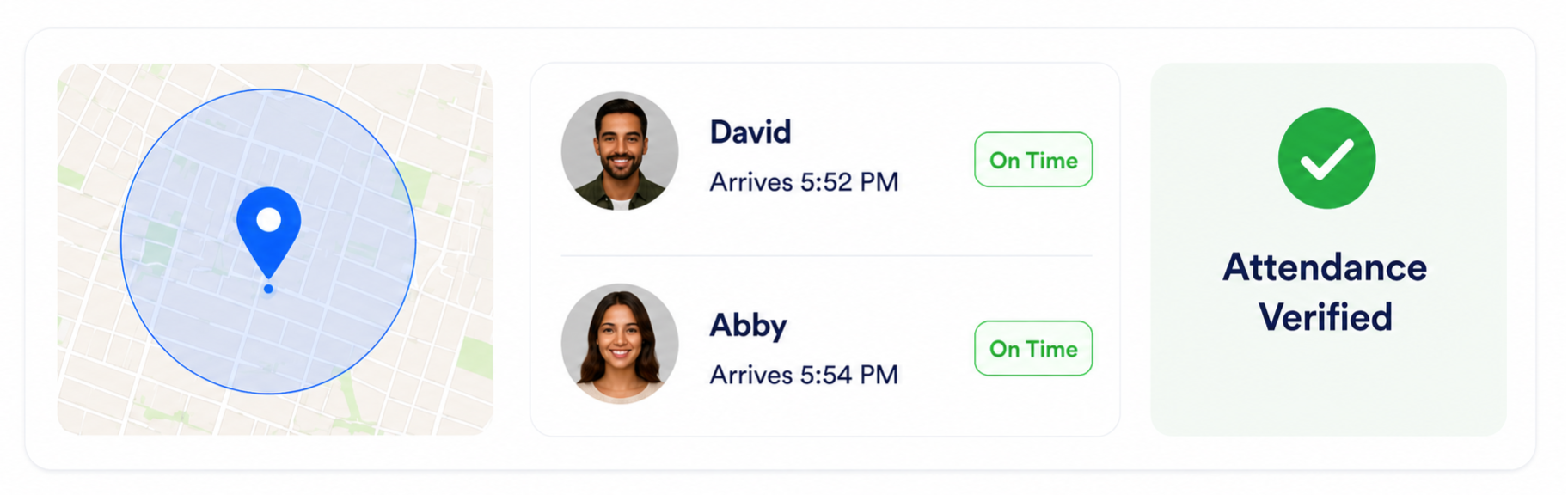
5. Show up & verify attendance
When you arrive, open WizeSwap and verify that you're at the meeting location. WizeSwap uses your phone’s native GPS locator to verify your attendance.
Once attendance is verified, WizeSwap records that you showed up and no negative feedback can be left on you for this meeting.
6. Meeting complete & feedback
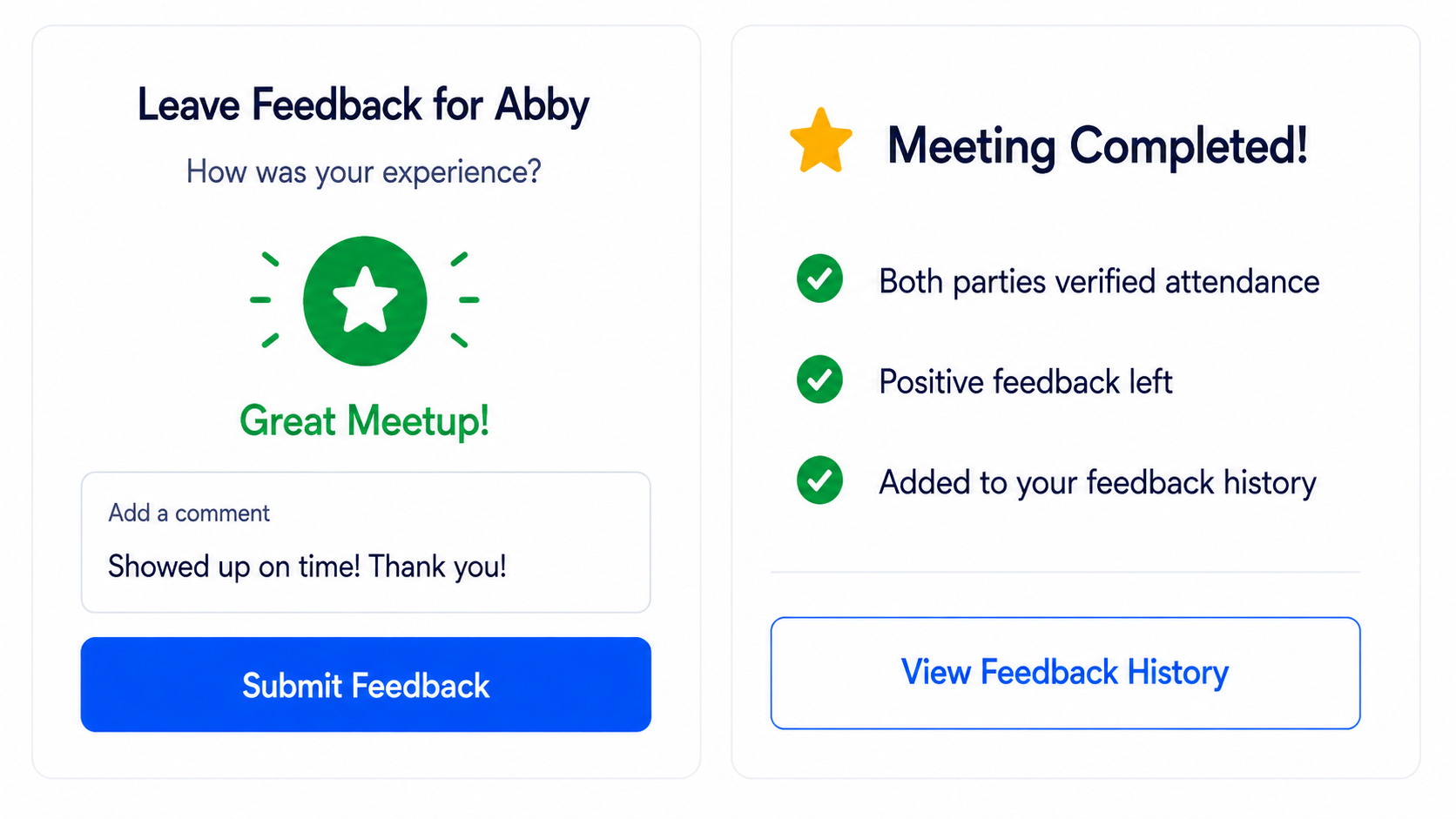
Leave feedback about your experience. Your ratings and meeting history help build trust in the WizeSwap community.
When the meeting is complete, WizeSwap records the outcome, including verified attendance and applicable feedback.
Real meetups. Real accountability.